Microsoft Dynamics 365 Business Central for connected, scalable operations.
Growing companies reach a point where spreadsheets, disconnected applications, and legacy systems limit visibility and control. Business Central connects finance, sales, purchasing, inventory, projects, service, and operations in a single cloud platform.
A single cloud platform for finance, sales, purchasing, inventory, manufacturing, projects, and service — with real-time reporting and extensibility through Power Platform and Microsoft Copilot.
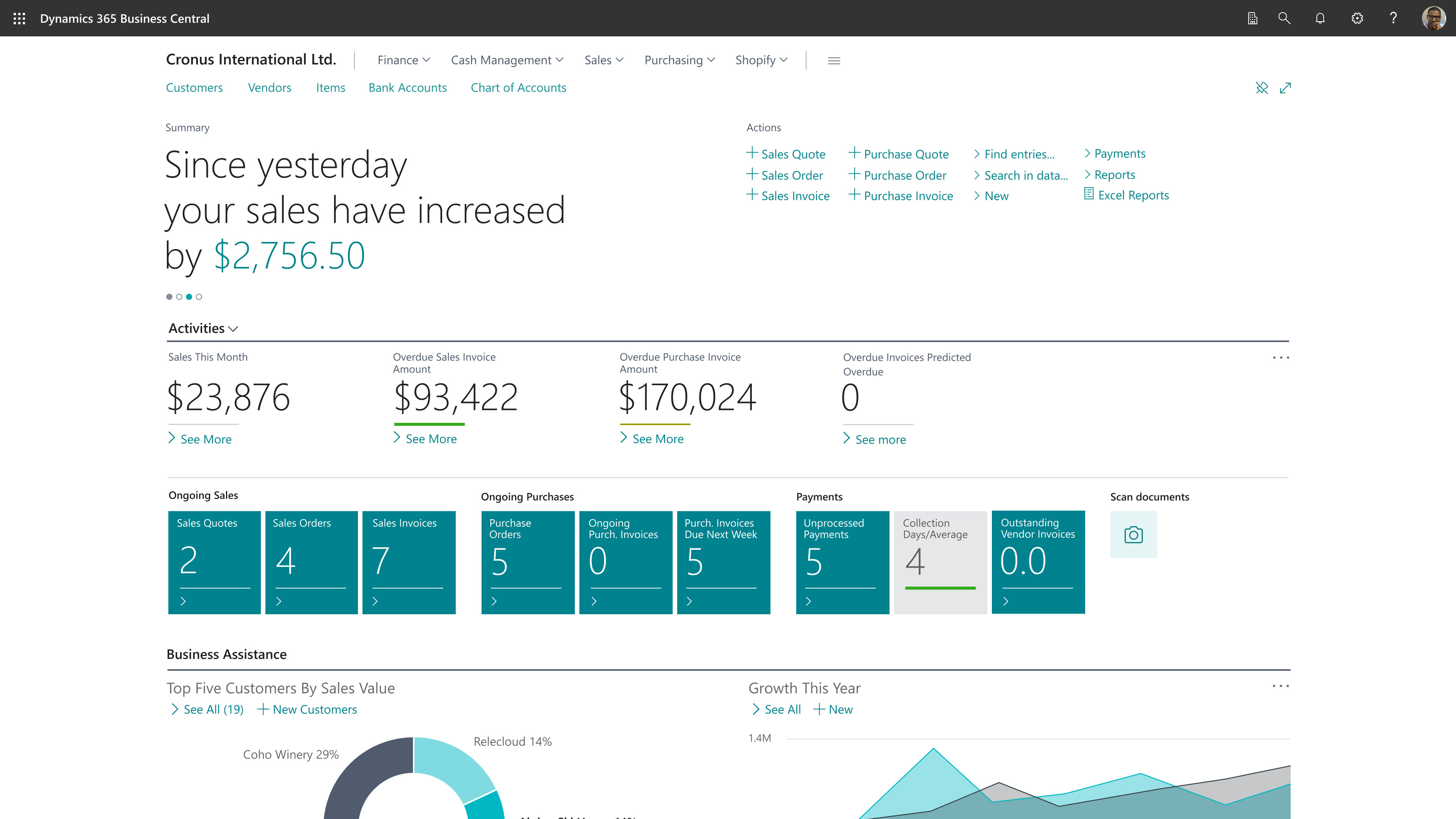
Microsoft Dynamics 365 Business Central interface. Official Microsoft image.
Signs your company needs a connected ERP.
Disconnected systems and spreadsheets
Replace fragmented processes with integrated information and standardized workflows.
Limited inventory visibility
Improve visibility into availability, demand, replenishment, traceability, and warehousing.
Growth without financial control
Connect accounting, accounts payable/receivable, and cash flow to a single source of truth.
Production planning challenges
Connect demand, materials, capacity, production orders, and costing.
Business benefits
- A single platform for finance, sales, purchasing, inventory, manufacturing, projects, and service
- Faster, more predictable implementation than enterprise ERPs, with lower total cost of ownership
- Natively integrated with Microsoft 365, Outlook, Teams, Excel, and Power BI
- Scalable as the company grows, with an evolution path to Dynamics 365 Finance and Supply Chain Management
- Hosted on Microsoft Azure, with continuous updates from Microsoft
- Extensible with Power Platform, Copilot, and custom development when needed
A module for every area of your business
Financial management
Improve visibility with integrated general ledger, accounts payable and receivable, cash management, budgets, fixed assets, and multi-company capabilities.
- General ledger
- Accounts Receivable/Payable
- Bank reconciliation
- Cash flow
- Fixed assets
- Budgets
- Multi-company and multi-currency
Sales and customer management
Connect quotes, orders, pricing, credit controls, inventory availability, and customer activity.
- Quotes and orders
- Pricing and discounts
- Credit limits
- Outlook and CRM integration
- Sales forecasting
Purchasing and supply planning
Improve purchasing decisions with visibility into demand, replenishment planning, vendor management, and approval workflows.
- Purchase orders
- Vendor management
- Approval workflows
- Blanket orders
- Import costs
Inventory and warehouse
Manage availability, locations, bins, receiving, picking, shipping, transfers, and lot and serial tracking.
- Lot/serial tracking
- Barcode
- Inventory valuation
- Cycle counting
- Automatic replenishment
- Multiple locations
Manufacturing
Support for bills of materials, routings, production orders, capacity, material planning, consumption, production, and costing.
- Bills of materials (BOM)
- Routings
- Production orders
- MRP and capacity
- Shop floor control
- Production costing
Projects and service
Control project costs, resource usage, profitability, service orders, contracts, and customer commitments.
- Resource planning
- Job costing
- Timesheets
- Service orders
- Contracts and preventive maintenance
Turn ERP data into decisions
Real-time reporting through Power BI, process automation with Power Automate, and Microsoft Copilot-assisted experiences — to generate quotes, summarize customer interactions, analyze financial data, and predict late payments.
Connected to what you already use
HMFS helps organizations migrate to Business Central from Dynamics NAV, GP, QuickBooks, SAP Business One, Oracle NetSuite, and Sage, in addition to connecting the ERP to banks, carriers, e-commerce, and local tax systems.
How we run the implementation
Discover
We understand processes, current systems, and business priorities.
Design
Solution architecture, process model, and implementation roadmap.
Build
Configuration, development, and integrations in controlled cycles.
Validate
Testing, data review, and validation with key users.
Deploy
Cutover, training, and structured go-live support.
Evolve
Stabilization, continuous improvement, and new capabilities.
Business Central in real operation

Global Business Central transformation
Multi-country ERP modernization
A global manufacturing organization needed to modernize its Microsoft ERP environment and build a more consistent operating model across countries. HMFS supported the transition from a legacy Microsoft Dynamics platform to Business Central, addressing processes, localization, extensions, and international requirements.
Frequently asked questions
How long does a Business Central implementation take?+–
Most projects are completed between three and nine months, depending on scope, number of companies, integrations, and the level of customization required.
Can Business Central replace Dynamics NAV?+–
Yes. Business Central is Microsoft's recommended upgrade path for Dynamics NAV customers, with a very similar data model and concepts.
Does Business Central support manufacturing companies?+–
Yes. It includes bills of materials, routings, production orders, MRP, capacity planning, shop floor control, and production costing.
Is Business Central cloud-based?+–
Yes. It's hosted on Microsoft Azure, with continuous updates managed by Microsoft and extensibility options through AppSource and custom development.
Can Business Central be integrated with other systems?+–
Yes. Business Central natively integrates with Microsoft 365, Power BI, Power Platform, and Copilot, and also supports custom integrations with banks, carriers, e-commerce, and tax systems.
When does it make sense to migrate from Business Central to Dynamics 365 Finance or Supply Chain Management?+–
Generally when operational complexity, the number of legal entities, or manufacturing and supply chain requirements exceed what Business Central was designed to support. HMFS helps assess that inflection point.
Ready to modernize with Business Central?
Start with an assessment or a discovery call to understand the right path for your company.